> ## Documentation Index
> Fetch the complete documentation index at: https://docs.handlpay.com/llms.txt
> Use this file to discover all available pages before exploring further.
# How to find your User ID
You can find your User ID in the payment link:
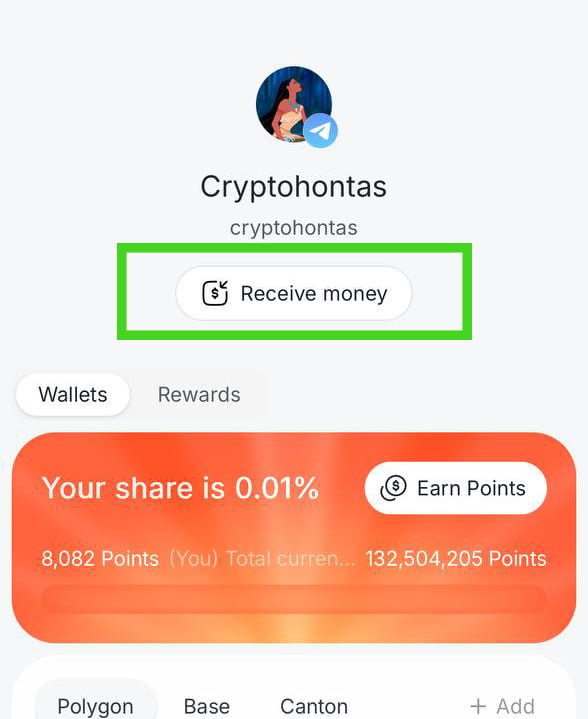
1. Click the "Receive money" button underneath your profile picture
2. Click "Copy payment link" and paste it somewhere
3. Your User ID is the string following the last "/"
Example: \
Payment link → [https://app.handlpay.com/pay/5eed5dea-ecc0-455d-8f87-253238405aa9](https://app.handlpay.com/pay/5eed5dea-ecc0-455d-8f87-253238405aa9)
User ID → [5eed5dea-ecc0-455d-8f87-253238405aa9](https://app.handlpay.com/pay/5eed5dea-ecc0-455d-8f87-253238405aa9)
***
"Receive money" button from Step 1: